How to automate reports: a practical guide for 2026
A practical guide to how to automate reports: the four components every system needs, when not to bother, and the three approaches teams pick.
To automate reports you need four parts: a queryable data source, a designed template, a generation engine that fills the template, and orchestration that decides when it runs and where the output lands. Automate a report when it recurs, costs real hours and accuracy matters; two of the three usually pays back within a quarter.
A consulting firm I spoke to spends forty thousand dollars a quarter on a single recurring report. Same structure every cycle, three analysts hand-rebuilding the same fifty slides from the same data, four days a quarter, sixteen days a year. The data lives in a warehouse. The template lives in Slides. The bottleneck — and the bill — sits in the seam between them.
That seam is what “automate reports” actually means. Not “use AI to write a deck.” Not “subscribe to a dashboard tool.” Producing a finished, branded document — a PDF, a slide deck, a Word file — directly from a data source on a schedule or trigger, without anyone hand-editing the output. The thing the audience receives is the document. The thing the team builds, once, is the production pipeline.
This piece is the practical version: what the pipeline is made of, when not to bother, and the three approaches teams actually choose between. Read the report automation for the longer architectural version.
The four components every system needs
Every working report-automation system has the same four moving parts, and gets stuck in the same places when one of them is missing.
Data layer. A queryable source of truth — a warehouse, a Sheet, an Airtable base, a CRM API. The non-obvious requirement: it has to support the shapes the report needs (not just the shapes the data was originally collected for). If your report needs month-over-month growth and your data layer doesn’t compute it, you’ll either bend the data layer or write that logic in the wrong place.
Template. The designed artefact the document inherits from. A Slides deck, a PowerPoint file, a Word document, an HTML layout. The template carries the brand, the typography, the section structure. The template is what makes one team’s output look like a designed document and another team’s look like a CSV pasted into Pages.
Generation engine. The thing that takes the data, walks the template, and produces the filled artefact. This is the piece teams write themselves, buy as SaaS, or commission. The interesting choices live here: how much template fidelity it preserves, how it handles conditional sections, what it does when the data shape changes.
Orchestration. The wrapper that decides when to run, what to do with the output, who to send it to. Cron, a workflow tool, a CRM trigger, a CS platform’s “scheduled report” feature. The piece that makes “automate reports” mean something to the audience — they get the report on time without anyone in the loop.
When teams say automation isn’t working, almost always one of these four is missing or a square peg has been shoved into one. The most common gap is the orchestration layer — the report generates fine in the lab, but no one set up the trigger and someone is still emailing it manually every month.
When not to automate reports
Three conditions make a report a real automation candidate. Two-of-three is usually enough to pay back the engineering. One-of-three rarely is.
- Recurrence. The report ships on a cycle (weekly / monthly / quarterly / per-customer / per-event). Same structure each time. Different data each time.
- Cost per cycle. Either a real bill (analyst hours billed externally) or a real opportunity cost (CSMs hand-building QBRs instead of running QBRs).
- Stakes. Accuracy matters. A bad number on slide three has a real downstream cost.
If the report is one-off, cheap and low-stakes — don’t automate. A Google Doc and a templated header are fine. The engineering cost outweighs the saving and you’ll resent the abstraction every time the format needs to change.
If the report recurs but is cheap and low-stakes — be honest about the breakeven. Many of these are better solved by tightening the manual process than by building a pipeline.
| Recurring | Costly per cycle | High stakes | Verdict | |
|---|---|---|---|---|
| One-off, cheap, low stakes | A Google Doc with a templated header. Do not automate | |||
| Recurring, cheap, low stakes | ✓ | Tighten the manual process first | ||
| Recurring and costly | ✓ | ✓ | Automation pays | |
| Recurring and high stakes | ✓ | ✓ | Automation pays | |
| All three | ✓ | ✓ | ✓ | Not optional; a deterministic pipeline misses fewer numbers than a human on the same quarter |
If two of the three are true, automation pays. If all three — including high stakes — automation isn’t optional, it’s the discipline. Manual humans miss the same number on slide three at the same rate every quarter; a deterministic pipeline doesn’t.
The three approaches teams pick between
For the reports that pass the gate, there are three architectural shapes the industry has converged on. Each solves a different version of the problem.
1. Scripts you write yourself
Python with python-pptx for PowerPoint, python-docx for Word, the Slides API for Google. Free in dollars, costly in maintenance. A junior engineer can stand up the first version in a weekend; the long-tail of edge cases — image sizing, table overflow, conditional sections, font fallbacks across machines — is where the cost actually lives.
This approach is right when the report shape is unusually custom, when the team has the engineering capacity to own the maintenance, or when nothing on the market handles the specific output format you need. It’s wrong when the report’s value is in its design fidelity — script-based approaches typically regenerate layout from code, and that’s where the “this looks automated” complaint originates.
2. AI deck generators
Gamma, Beautiful.ai, Tome, Plus AI. Prompt to first draft. The category that has caught all the attention in the past two years, and it’s a real category — for first drafts, for one-off decks, for brainstorms, for unlocking work the user didn’t have time to start. Don’t underrate them.
For recurring branded outputs that have to look identical each time and bind to live data, prompt-driven generation breaks down on the dimensions that matter most: brand consistency, source-of-truth integrity, and maintainability across a year of use. The two categories solve different problems. Most mature teams end up with both.
3. Template-driven platforms
The third category — and the one this site is in. The template is owned by a designer in their native tool (Slides, PowerPoint, InDesign). The data is owned by the warehouse or the Airtable base or the API. The platform sits in the middle, walks the template, fills in what changes, leaves alone what doesn’t. Same template every run; data refreshes each cycle.
The defensibility of this category is brand. The output looks identical to the designed master, on repeat, for as long as the template lives. The cost is upfront — someone has to map the template to the data the first time. The payoff is the long flat tail: months of generations that the brand team doesn’t have to babysit.
What “automate reports” looks like in practice
Three concrete examples of the pattern in production:
-
Agencies. A monthly client report with reach, spend, performance, narrative, recommendations. Pulled from each client’s ad accounts and analytics. White-labelled to the client’s brand. Generated on the first Monday of the month, posted to the agency’s reporting portal, surfaced in the client’s Slack. The agency goes from a person-per-account-per-month to one operations engineer maintaining the pipeline.
-
Customer success. Quarterly business reviews for two hundred accounts, fifty per CSM. Same template, fresh data per account. Pulled from the CRM, the product analytics, the support data. Generated the week before the QBR cadence. The CSM still runs the meeting; the meeting prep collapses from a Tuesday to ten minutes of review.
-
Finance and ops. The monthly board pack, the weekly ops scorecard, the per-region performance summary. Scheduled. Sent. Versioned. The thing the team used to “build” is now the thing the team “reviews.”
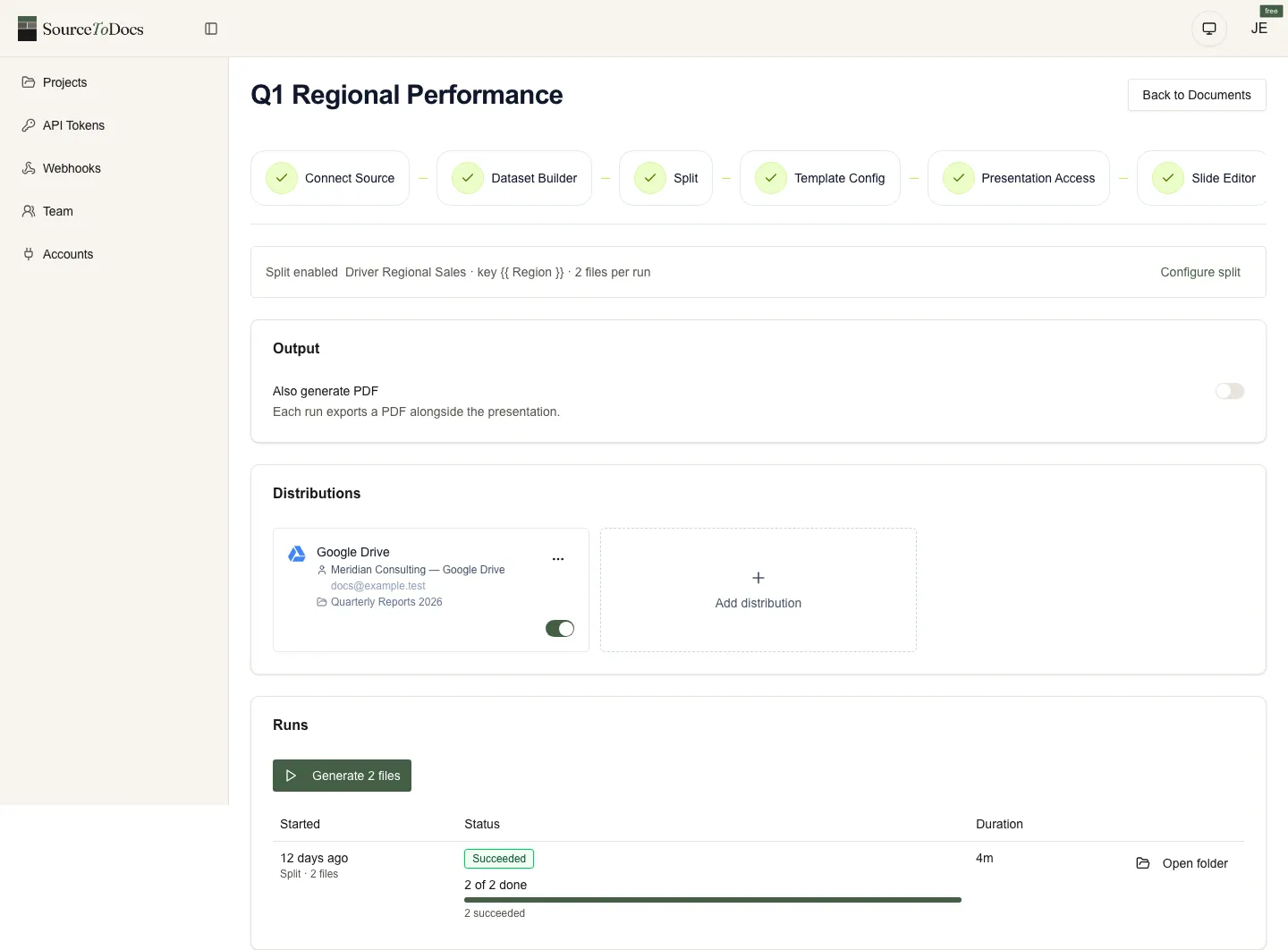
In each case, the report is the same shape it was when it was hand-built. The audience gets a document, not a dashboard. What changes is who builds it, how often, and at what cost.
How to actually start
A 30-minute exercise that beats most automation-platform demos:
- Pick one recurring report. The one that hurts. The one with a real bill or a real opportunity cost.
- Open the four-components question. Where does the data live? Where does the template live? What’s between them? How does it get to the audience? Write the answer for each of the four.
- Test the data layer. Can you get a clean export of last month’s data in the shape the report needs? If yes, the automation is feasible. If no, the data layer is the project, not the document layer — and that’s a workflow-and-integration job, the kind an automation agency like 2V Automation takes on upstream, before any reporting tool enters the picture.
- Look at the template honestly. Was it designed by someone who treats it as the brand? Or is it a frankenstein the analyst inherited and bent? A template-driven platform multiplies the quality of whatever template you start with.
- Pick the architecture. If the report is bespoke and small, write the script. If it’s recurring and brand-critical, use a template-driven platform. If it’s a first draft you’ll throw away, use a prompt-to-deck tool.
That’s it. The platforms make this easier, but the discipline is in the question, not the tool.
For the longer architectural treatment — including which integrations matter, what changes when you scale past a hundred reports a month, and where the failure modes are — read the report automation. For the buyer’s-side framework on tools, see report automation tools.