Conference agenda template: 5 layouts that work in production
Five conference agenda template layouts that survive production — single-track, multi-track, multi-day, hybrid, virtual — and when to automate.
A conference agenda template is a data structure before it is a layout: sessions, stages, days and speakers held once and rendered to the booklet, the website, the app and the signage. Five layouts cover almost every event, single-track, multi-track, multi-day, hybrid and virtual, and each has a trap. All five are below, with the data model that survives them.
Forty-eight hours before doors, a sponsor’s keynote got bumped from the morning to the afternoon, a panellist dropped, the room with the better AV got reassigned, and someone in production realised the printed program had been sent to the printer the previous morning with the old times. The team reprinted four hundred copies overnight. The website was updated by hand. The app was updated by hand. The speaker briefings were updated by hand. The signage was reprinted in the foyer at 6am the morning of. Everything that touched the agenda touched it manually — because the template was the booklet, and the booklet was the source of truth.
That moment is the case for a real conference agenda template — not a stock layout, but a structure that holds the data once and lets the production team push it to every downstream artefact when something changes. This piece is the operator’s view of five layouts that actually work in production, the trap each falls into, and the line where a template stops being enough and the team needs the event program automation pipeline approach. Five layouts. Five traps. One honest recommendation at the end.
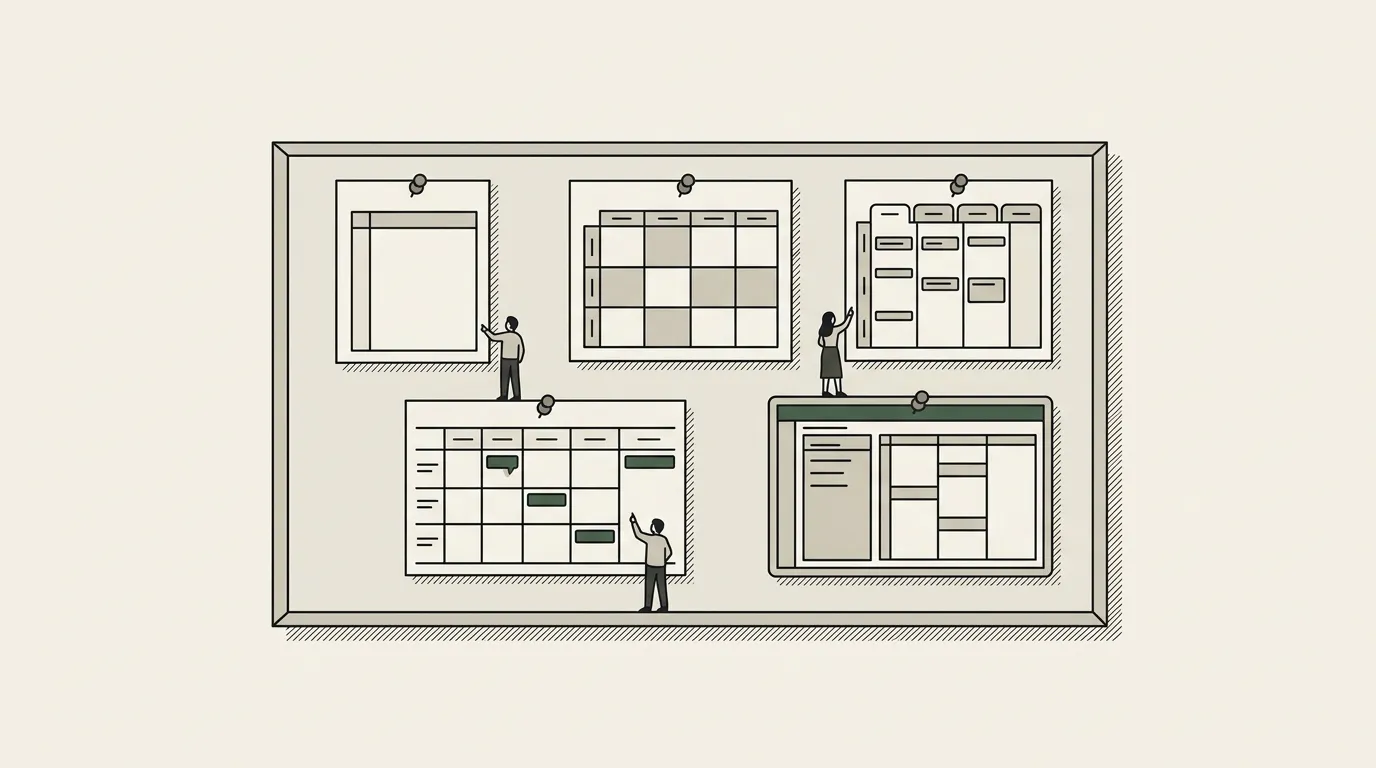
What a conference agenda template has to do
Three jobs, in order.
It has to communicate the event’s shape to the audience. Time, place, who’s speaking, what they’re speaking about. Read in thirty seconds, navigated in a glance.
It has to hold up under change. The agenda will change between the first version and the version printed for the venue, and it will change again in the last 48 hours. A template that requires manual rework on every change is a template that breaks the production team.
It has to be one source feeding many artefacts. The same data ends up on the website, in the app, on signage, in speaker confirmations, in sponsor decks, in the press kit. If the template is the artefact, the data is duplicated everywhere. If the template is the binding to a database, the data lives once.
The five layouts below are the five shapes most events fall into. Pick the one that matches your event’s geometry.
| Layout | Geometry | Best for | The trap |
|---|---|---|---|
| 1. Single-track | One stage, sequential sessions; time column left, session block right | Under 300 attendees, one curated narrative | Under-budgeting the description column; visually loud speaker drops |
| 2. Multi-track | Time rows by track columns, colour-coded | Three or more concurrent tracks, self-selecting audience | Hostile to phones; hard-coded track names |
| 3. Multi-day | Day sections plus an at-a-glance timeline | Two or more days with content that builds | A flat list instead of Days → Stages → Sessions; day-of-week labels typed by hand |
| 4. Hybrid | Multi-track grid plus a modality marker per session | Global audiences, sponsor obligations beyond the room | Times not rendered in the reader’s zone; hybrid sessions listed twice |
| 5. Virtual-only | Time-anchored stream rows, deeply linked | Global, content-heavy, low production cost | A printed-programme shape transplanted to a website, with no live state |
Layout 1: Single-track
One stage, one stream, sequential sessions. Founder summits, intimate executive gatherings, single-day industry roundtables. The simplest geometry — every attendee is in the same place at the same time.
The template shape. Time column on the left, session block on the right. Each session: time, title, speaker(s), one-line description. Twenty-five to forty rows down a page. Print-friendly, app-friendly, signage-friendly because the layout is linear.
What it’s best for. Events under three hundred attendees with a curated narrative that the producer wants every attendee to follow. The single-track form factor enforces shared experience.
The trap. Producers under-budget the description column. The single-line summary becomes the only thing the attendee reads to decide whether to be in the room. Treating the description as filler — the cost is empty seats.
The other trap. Last-minute speaker drops are visually loud in single-track because there’s nowhere for the audience’s eye to go except the empty slot. The template should support a clean “session updated” treatment that doesn’t visually scream.
Layout 2: Multi-track
Multiple parallel rooms, attendee chooses where to be. Industry trade shows, large product conferences, multi-stream professional summits. The geometry that produces the most production complexity.
The template shape. Time rows across the top (or down the left), track columns across (or down). Each cell is a session block. Visually a grid, but the design has to make the grid scannable — colour-coding per track, careful typography hierarchy, room labels integrated.
What it’s best for. Events with three or more concurrent tracks, audience expected to self-select. The multi-track form factor maximises the breadth of content the event can carry.
The trap. The grid layout is hostile to mobile. An eight-column grid that works on a printed booklet is unreadable on a phone, and most attendees will read the agenda on a phone the morning of. The template needs a parallel mobile-shape — usually a single-column “what’s on now” feed — that pulls from the same underlying data.
The other trap. Tracks change names mid-cycle. A “Product” track gets rebranded to “Builders” two weeks before the event because a sponsor wants alignment. Templates that hard-code track names break loudly. The clean shape: track names live in a small reference table; the agenda template binds to the reference, not to the literal string.
Layout 3: Multi-day
Sessions span days, attendees move between days. Annual conferences, week-long summits, executive retreats. The geometry that breaks first-time producers.
The template shape. Day-by-day pages or sections. Within each day, single- or multi-track grid. Plus a hero “at a glance” view that shows the whole event compressed — usually a horizontal timeline, sometimes a calendar.
What it’s best for. Events two or more days long with content that builds across days. The multi-day form factor lets the producer pace the narrative, but the artefact has to support both “what’s happening today” reading and “where am I in the arc” reading.
The trap. The Days→Stages→Sessions data model is non-obvious and almost always wrong on the first attempt. Producers tend to model the agenda as a flat list with a date column. The right model is hierarchical — Days contain Stages contain Sessions, with Speakers as a many-to-many across Sessions. Get this model wrong on day one and every downstream artefact carries the wrongness.
The other trap. Day-of-week labels. The booklet says “Tuesday” because the event is on a Tuesday. Then the event slips by two days because of a venue conflict, and every “Tuesday” is now wrong. Bind day labels to dates, not to literal day names — the template renders the day-of-week from the date at generation time.
Layout 4: Hybrid
Some sessions in person, some virtual, some both. Modern multi-day conferences with global audiences, sponsor-driven hybrid programming. The geometry that emerged in the last five years and stayed.
The template shape. Multi-track grid plus a modality marker per session — in-person, virtual, hybrid, on-demand. The modality matters as much as the room or the time, because it determines who can attend.
What it’s best for. Events with global audience or sponsor obligations to deliver content beyond the room. Hybrid is increasingly the default rather than the exception for events over a thousand attendees.
The trap. Modality and timezone interact badly. A virtual session at 2pm local time is at 5am for the West Coast attendee — the template that doesn’t render the time in the audience’s timezone loses half the audience to confusion. The clean shape: the template stores times in UTC and renders to the audience’s timezone (web/app) or to the venue’s local time with a UTC reference (print).
The other trap. Hybrid sessions show up twice in naive templates — once as in-person, once as virtual — confusing the audience about whether to attend or stream. The data model needs a single session record with a modality field, not two parallel records.
Layout 5: Virtual-only
Every session online, attendees never in a room together. Virtual summits, fully-distributed conferences, on-demand programming. The geometry that the pandemic standardised and that hasn’t gone away.
The template shape. Time-anchored stream rows, deeply linked. Each session block is a hyperlink to the watch URL or the calendar invite. The artefact is more web-native than print-native — the agenda template lives in the browser as much as in any document.
What it’s best for. Global audiences, content-heavy programming, sponsor-driven content delivery. The virtual-only form factor maximises reach and minimises production cost, at the price of attention quality.
The trap. The template is treated as a printed-program shape transplanted to a website. The result is a static schedule with no live state — no “happening now” indicator, no “join here” CTA, no “watch the recording” handoff. Virtual agendas live and die on the live state, and the template has to be designed around that, not around print.
The data model that survives every layout
Whatever layout the event lands on, the same data model holds underneath. Days contain Stages contain Sessions. Speakers are a many-to-many across Sessions. Sponsors are linked to Sessions where relevant. Modalities, tracks and rooms are reference tables that Sessions point to.
The reason this model matters: every downstream artefact (the printed program, the website, the app, the signage, the speaker briefings, the sponsor reports, the press kit) is a different rendering of the same Days→Stages→Sessions tree. If the model is right, a session time change at 8pm the night before doors propagates to every artefact at 8:01. If the model is wrong, the same change requires hand edits in seven places, and one of those edits will be missed.
The honest truth: most first-time event ops teams build the booklet first, treat it as the source of truth, and discover the model gap in the 48 hours before doors. The teams that build the database first, render the booklet from it, and treat every artefact as a renderer of the database — those teams ship clean events.
For the operator’s view of the multi-day case in particular, see event program template multi-day. For the production-grade view of the program artefact itself, see conference program template production-grade.
When the template stops being enough
Three signals. The event has more than thirty sessions. The agenda has to feed more than three downstream artefacts. Last-minute change is a regular occurrence, not an exception.
Hit two of three and the spreadsheet-and-Slides combination stops paying. The next step is a pipeline — the Airtable base or equivalent feeding every artefact from a single source, on a schedule and on demand. Speaker drops, time slips, room reassignments, sponsor session insertions all propagate cleanly. The architectural shape lives in the event program automation, and the Airtable-side patterns live in the Airtable document automation.
For the longer architectural treatment of the events case, return to the event program automation. For the production-grade view of the program artefact itself, see conference program template production-grade.